Best Desk Accessories in 2026: The Ones That Actually Improve Your Setup
The best desk accessories in 2026 that make a real difference to your workspace: monitor light bars, desk mats, cable management, and more.
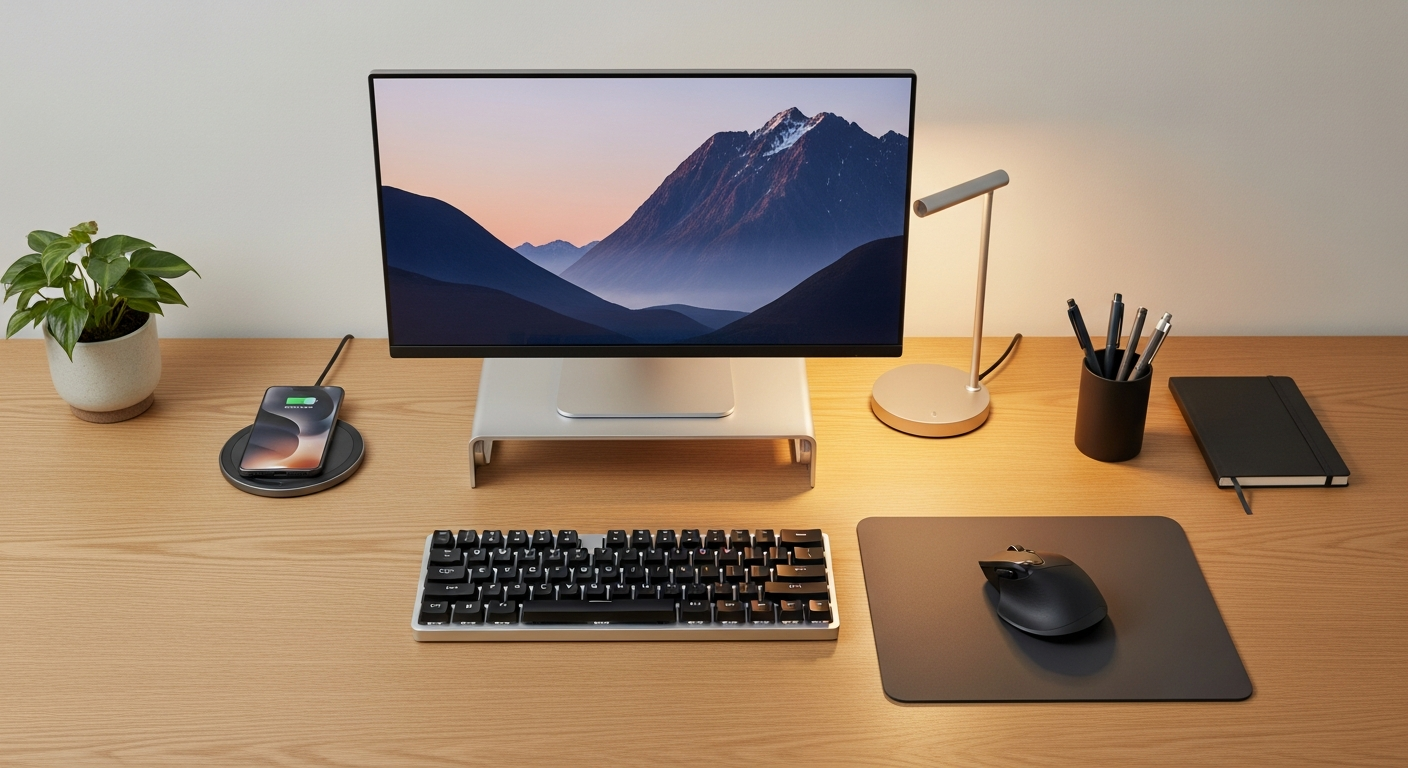
We may earn a commission if you buy through our links.
What to Look For
Most desk accessories are cosmetic. A few of them genuinely change how your workspace feels. This guide covers the ones in the second category. Every pick here solves a real problem: screen glare, cable mess, monitor position, desk clutter. If it only makes the desk look nicer without improving how it works, it didn’t make this list.
Best Monitor Light: BenQ ScreenBar
The BenQ ScreenBar is the accessory that makes the biggest visible difference per dollar. It clips to the top edge of your monitor. The asymmetric optic design sends light down and forward onto your desk, not back at the screen. You get bright, even lighting across your keyboard and documents with zero screen reflection.
The built-in ambient light sensor adjusts brightness automatically as room lighting changes. Color temperature is adjustable from warm to cool. Controls sit on a touch bar at the end of the unit.
If you work with your desk lamp aimed at the screen, or if you struggle with a dark desk next to a bright monitor, this fixes it immediately.
Best Organization: Grovemade Desk Shelf
The Grovemade Desk Shelf is a raised platform that creates two levels on your desk. Monitors sit on top. Smaller items like speakers, a USB hub, or a small plant live underneath. This clears the main desk surface without removing anything from arm’s reach.
It’s made from solid walnut or maple. The craftsmanship is genuinely good. It costs more than a DIY solution, but the result looks intentional rather than improvised. If your desk feels cluttered because everything lives on the same flat plane, a shelf like this solves the layering problem.
Best Desk Mat: XL Extended Mouse Mat
An XL desk mat at 36 x 12 inches or larger does several things at once. It gives your mouse a consistent tracking surface across the full range of motion. It protects the desk surface from scratches. It ties the visual composition of the setup together.
Cloth mats are the standard choice. They’re smooth enough for precise mouse movements and easy to clean. Look for a mat with a non-slip rubber base and stitched edges. Without stitched edges, the border frays within a few months. A large dark mat under a light-colored monitor setup makes the whole desk look more considered.
Best Monitor Arm: Ergotron LX
The Ergotron LX is the monitor arm most frequently recommended across desk setup communities, and for good reason. It holds monitors up to 34 inches and 25 lbs. The arm adjusts smoothly: height, tilt, rotation, and depth all move with one hand once the tension is set.
Removing the monitor stand frees up 3-4 inches of desk depth. It also raises the monitor to proper eye level for most setups. If you use a monitor stand that came in the box, the monitor is almost certainly too low. The Ergotron LX fixes that with a two-bolt desk clamp and fifteen minutes of setup.
Best Cable Management: Under-Desk Cable Tray
A cable management tray that mounts under the desk hides power strips and cable bundles out of sight. The best ones are metal mesh trays that clamp to the desk edge without drilling. They hold a power strip and a bundle of cables in one clean unit.
This is the single change that most affects how the underside of a desk looks. Without it, a tangle of cables hangs from the back of the desk. With it, everything routes cleanly to a single hidden strip. Pair it with velcro cable ties to bundle individual runs together before they reach the tray.
Best Headset Stand
A dedicated headset stand keeps headphones off the desk surface and at arm’s reach. The best options are simple: a steel or aluminum hook on a weighted base. Some include a USB charging port in the base, which doubles as a charging station.
If your headset currently sits flat on the desk or hangs off a monitor corner, a stand reduces scratching on the headband and keeps the cable managed. It also looks better. This is a $15-30 purchase that has a disproportionate effect on desk tidiness.
Best USB Hub
Most laptops have two to four ports. A USB hub fills the gap without cable swapping. The Anker 7-Port USB Hub handles USB-A, USB-C, and SD card access from a single device that sits on or beside the desk.
For desktop setups, a hub that sits on the desk is often more useful than the ports on the back of the case. Proximity matters. A hub with a power adapter handles charging and high-draw devices that a bus-powered hub can’t.
Best Desktop Organizer
A small desktop organizer tray with compartments for pens, a phone, and miscellaneous items removes the visual noise that accumulates on a desk over time. The best ones are small: one or two compartments, a slot for your phone, and nothing more.
Oversized organizers tend to fill up and become clutter themselves. A compact tray keeps daily-use items visible and accessible without consuming desk space. Aluminum and bamboo options both look clean and last indefinitely.
Bottom Line
Start with the Ergotron LX monitor arm and a desk mat. These two changes transform how a desk looks and how the monitor works. Add the BenQ ScreenBar next for lighting. Then tackle cables with a tray and velcro ties. A headset stand and USB hub round out a complete, functional setup. Everything after that is incremental.
Frequently Asked Questions
- What desk accessories are actually worth buying?
- A monitor light bar, a desk mat, a monitor arm, and cable management products are the four accessories that most improve a setup. Everything else is optional. A monitor arm alone transforms how a desk looks and how the monitor feels to use.
- What is a desk mat and do I need one?
- A desk mat is an oversized mousepad that covers most of your desk surface. It protects the desk from scratches, gives a smooth surface for a mouse, and visually anchors the setup. A 36-inch or larger mat works for most single-monitor setups.
- Are RGB desk accessories worth buying?
- RGB on a monitor back panel or LED strip adds ambient lighting that reduces eye strain in low-light environments. RGB on a keyboard or mouse is cosmetic. For ambience and eye strain reduction, bias lighting is worth buying. For pure aesthetics, it's personal preference.
- What is the best monitor light bar?
- The BenQ ScreenBar is the most popular monitor light bar and has been for years. It mounts on the top edge of the monitor, illuminates the desk without creating screen glare, and includes an ambient sensor for automatic brightness adjustment. The ScreenBar Halo adds rear glow for bias lighting.