Best Desk Setup Ideas in 2026: 20 Setups Worth Copying
20 desk setup ideas for every style and budget in 2026. From minimal and clean to gaming battle stations and cozy home offices, with product lists for each.
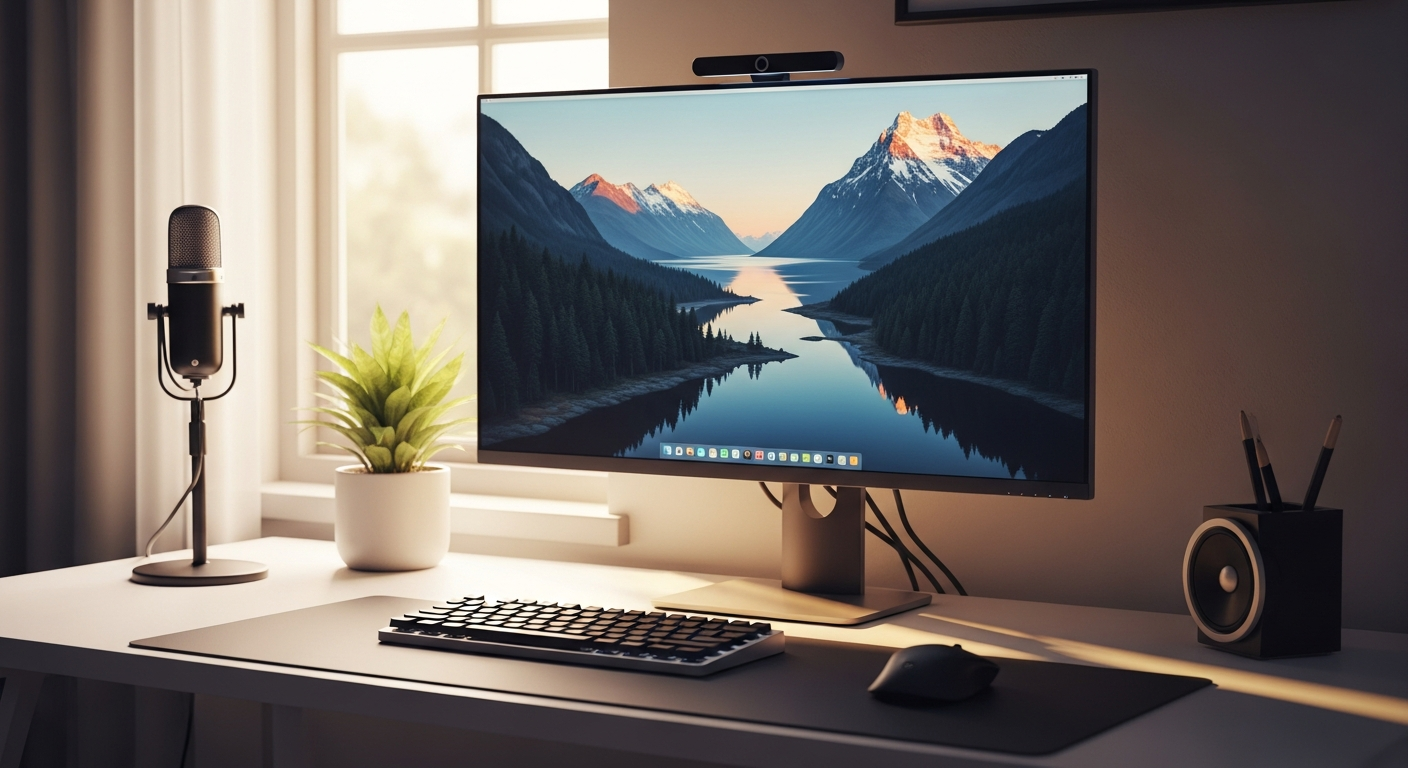
The best desk setups aren’t the most expensive ones. They’re the most intentional. Whether you have $400 or $4,000, a clear style direction makes every build look better. Below are ten distinct setup styles, each with specific product recommendations you can copy today.
We may earn a commission if you buy through our links.
Minimal White Setup
The most copied aesthetic online. A white desk surface, a single monitor on an arm, and one small plant. Nothing else. The IKEA LAGKAPTEN tabletop in white paired with ALEX drawer units gives you storage without clutter. Add a Keychron K3 Pro keyboard in white, a BenQ ScreenBar monitor light, and a white MX Master 3S mouse. Keep the desk mat white or light grey. Every cable goes through a cable raceway under the desk. The result looks expensive on any budget.
Dark and Moody Setup
Dark setups have surged in popularity. Start with a black walnut or dark grey desk surface. A 27-inch monitor with thin bezels sits centered, with Govee bias lighting mounted behind it. The Keychron Q1 Pro in a dark colorway with dark grey keycaps completes the keyboard. Add a black desk mat from Grovemade and a matte black headphone stand. Ambient lighting does the heavy lifting here: a warm LED strip behind the desk, a small lamp in the corner, and the monitor backlight all create depth. Keep the desktop nearly empty.
Gaming RGB Setup
This style is unapologetically loud. An ASUS ROG or Secretlab TITAN gaming chair anchors the space. Dual 27-inch 165Hz monitors mounted on a dual arm fill the view. The Logitech G915 TKL keyboard and Logitech G Pro X Superlight mouse both support per-key RGB. A Govee desk LED strip runs under the desk surface. A Nanoleaf panel arrangement on the wall behind completes the look. Use Razer Synapse or iCUE to sync lighting across devices. The key to making RGB work: choose one accent color and stick to it.
Cozy and Warm Setup
Think warm wood tones, soft lighting, and a small collection of meaningful objects. A natural oak or bamboo desk surface sets the tone. A 24-inch monitor with a warm-tinted monitor light bar provides soft task lighting. A Keychron C3 Pro with brown switches gives satisfying sound without aggression. Add a small plant, a ceramic mug warmer, and a linen desk mat in a neutral tone. This setup prioritizes comfort over performance. It works beautifully in a living room corner or a spare bedroom.
Standing Desk Productivity Setup
Built for people who work 8+ hours a day. The FlexiSpot E7 or Uplift V2 standing desk forms the foundation. A 34-inch ultrawide monitor on a monitor arm maximizes vertical space when standing. An anti-fatigue mat like the Topo by Ergodriven makes standing comfortable for hours. The keyboard and mouse go on a keyboard tray mounted under the desk surface, keeping them at the right height whether you’re sitting or standing. A Herman Miller Aeron or Steelcase Leap handles the sitting portion. Everything else is secondary.
Laptop-Only Minimal Setup
Not every setup needs a desktop. A 12 South Curve or Nexstand laptop stand raises the screen to eye level. An external Keychron K3 Pro keyboard and Logitech MX Anywhere 3 mouse complete the input setup. A USB-C hub with HDMI output lets you connect an external monitor when needed. This setup travels, folds flat, and costs under $400. It’s the right choice for people who move between home and office frequently. Keep the desk surface clear of everything except the laptop, keyboard, and mouse.
IKEA Budget Build
The IKEA build is the most practical setup idea on this list. A LINNMON or LAGKAPTEN tabletop on ADILS legs costs under $80. Add an ALEX drawer unit for $120. A 24-inch LG monitor at $149, a Keychron K3 Pro at $99, and a Logitech M550 mouse at $39 completes the essentials. Total: under $500. Add a cable management tray from Amazon for $20 to keep wires hidden. The IKEA frame takes paint well if you want a custom color. This build punches well above its price point.
Luxury and Premium Setup
The premium build starts with a custom walnut slab desk or a Fully Jarvis Bamboo standing desk. A LG 5K2K UltraWide or Apple Pro Display XDR provides the display. A Keychron Q1 Pro with custom GMK keycaps handles typing. A Herman Miller Aeron chair in graphite sits behind it. Premium cable management means no visible cables at all: a Desk Pegboard or under-desk cable tray hides everything. Add Grovemade desk accessories in walnut and a Sonos Era 100 speaker for audio. This setup costs $3,000-5,000 but lasts a decade.
Creative and Designer Setup
Designers need a large desk surface: at least 60x30 inches. A Wacom Intuos Pro drawing tablet sits to the left of the keyboard. A color-accurate 4K monitor like the BenQ PD2725U is non-negotiable for color work. The chair needs to support varied sitting positions: a Humanscale Freedom or Steelcase Gesture handles that. Good lighting matters more here than in any other setup: a color-accurate desk lamp with a high CRI rating prevents color judgment errors. Keep a second monitor to the side for reference material and browser windows.
L-Shaped Corner Setup
L-shaped setups maximize surface area without taking more wall space. The most popular approach: a corner desk like the Uplift L-Shaped Standing Desk or an IKEA hack using two LINNMON tops joined at 90 degrees. The primary monitor goes on the corner section at eye level. A secondary vertical monitor sits to the side for reading documentation or email. One arm of the L holds the keyboard and mouse. The other becomes a writing or reference surface. A full-corner desk mat in one piece ties the two surfaces together visually.
Bottom Line
Every setup idea here works at multiple budgets. The minimal white setup costs $400 or $4,000 depending on the products you choose. Pick the style that fits your room and personality first. Then build toward it incrementally. Start with the monitor and desk. Add the keyboard and lighting next. Accessories come last. A focused direction always beats an expensive collection of mismatched products.
Frequently Asked Questions
- What makes a desk setup look good?
- The most visually appealing setups share three qualities: a consistent color palette (usually 2-3 colors), minimal visible cables, and proper monitor placement at eye level. Everything else is personal preference.
- How much does a good desk setup cost?
- A functional, attractive desk setup starts around $400 for a budget build with a basic desk, monitor, and keyboard. A mid-range setup runs $800-1,500. A premium setup with a standing desk, mechanical keyboard, and quality monitor sits at $1,500-3,000.
- What is the most popular desk setup style in 2026?
- Minimal setups with white or natural wood surfaces remain the most searched style. Clean cable management, a monitor light bar, and a mechanical keyboard are the most common elements. Dark setups with ambient lighting are the fastest-growing trend.
- Where do people share their desk setups online?
- Reddit's r/battlestations and r/homeoffice are the most active communities. Pinterest has the most visual inspiration. Instagram and YouTube channels dedicated to desk setups have grown significantly and often include detailed product lists.