Best Monitor Stands for Desk Setups in 2026: Tested and Ranked
The best monitor stands for desk setups in 2026. From simple risers to adjustable arms. Top picks for single and dual monitor setups. Updated April 2026.
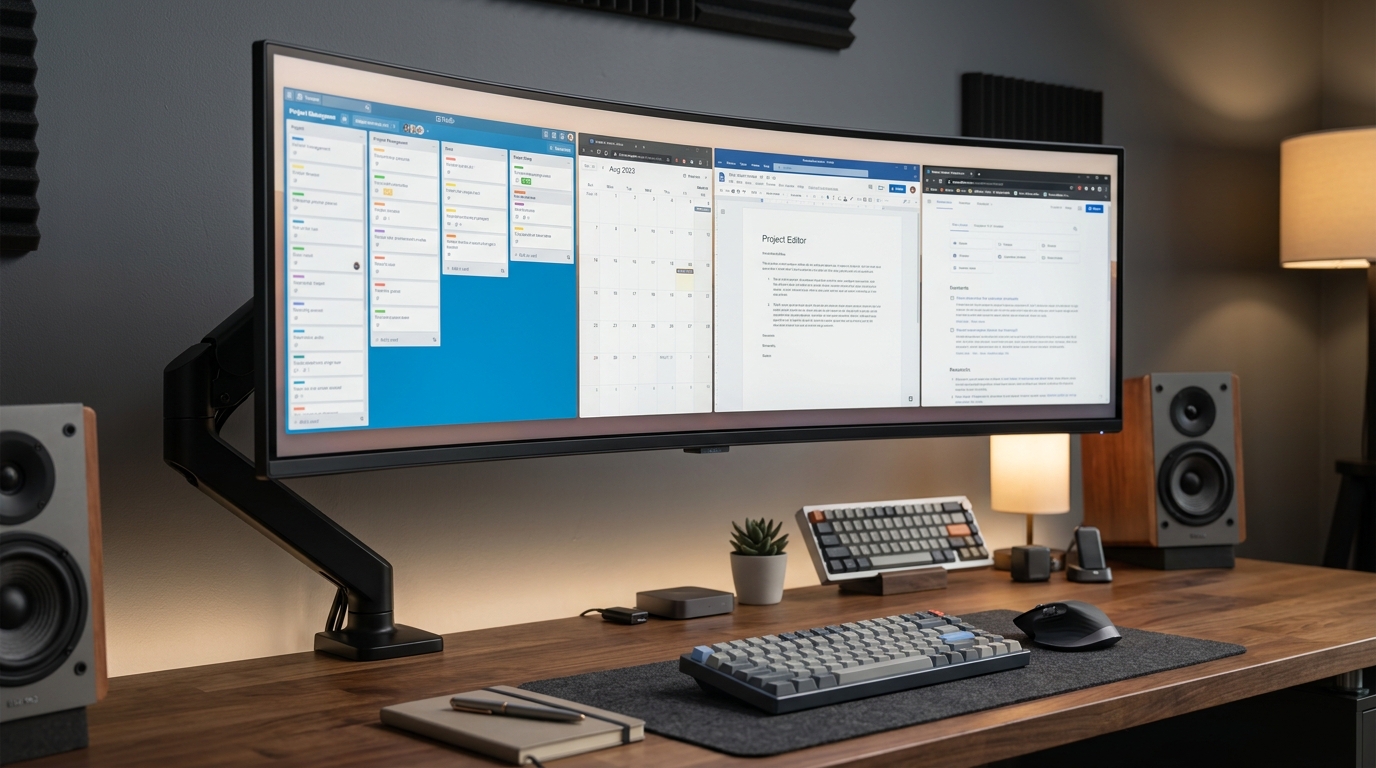
The right monitor stand puts your screen at eye level and clears desk space underneath. Top picks for 2026: Ergotron LX arm for the best overall, VIVO dual monitor stand for two screens, FITUEYES adjustable riser for a budget adjustable option, WALI single monitor stand, and the Amazon Basics monitor riser for the simplest setup. Prices run from $25 to $179.
We may earn a commission if you buy through our links.
What to Look For
Height matters most. Most monitor stands raise the display 2 to 6 inches. A fixed-height riser works if that range puts your eyes level with the top third of the screen. Adjustable stands give you more control, which is valuable if multiple people use the same desk.
Weight capacity is easy to overlook. Most 24 to 27-inch monitors weigh 7 to 12 pounds. A 34-inch ultrawide can reach 20 pounds. Check the stand’s rated capacity before buying.
Desk space underneath is a real benefit. A raised monitor leaves room for a keyboard tray, documents, or a small item to sit out of the way. If you use a fixed-height riser, measure that clearance before ordering.
For two monitors, a dual arm or dual stand almost always produces a cleaner setup than two separate stands. Individual stands eat more surface area and make it hard to match angles.
Best Overall: Ergotron LX Monitor Arm
The Ergotron LX Monitor Arm costs $179. It is technically a monitor arm, not a riser, but it is the best way to position a single monitor on any desk. The VESA-compatible arm supports monitors from 7 to 25 pounds and up to 34 inches in size.
The LX clamps to the desk edge. It adjusts up, down, forward, back, and rotates 360 degrees. The gas spring holds position exactly where you leave it. There is no drift over time.
Mounting to the LX requires removing the factory monitor stand base. Most monitors ship with a VESA adapter already installed or included. The LX frees the entire desk surface under the monitor. A keyboard, notebook, and coffee cup all fit under a 27-inch monitor on the LX arm.
Best for Two Monitors: VIVO Dual Monitor Stand
The VIVO dual monitor stand costs $49. It holds two monitors up to 27 inches side by side on a single grommet or clamp base. Each arm adjusts height and tilt independently.
The steel construction handles monitors up to 22 pounds per arm. It fits most standard VESA patterns: 75x75mm and 100x100mm. Setup takes about 20 minutes. Both monitors share one desk footprint.
At $49 for a dual setup, there is no comparable option. The adjustment mechanisms are not as smooth as the Ergotron, but they hold position reliably once set. For a permanent two-monitor configuration, this stand works well.
Best Adjustable Riser: FITUEYES Monitor Riser
The FITUEYES adjustable monitor riser costs $35. It raises a monitor 5 to 20 inches in height using a sliding pole and locking collar mechanism. The wide base accommodates monitors up to 32 inches and 22 pounds.
Unlike fixed risers, the FITUEYES lets you dial in the exact height you need. This is useful if you share the desk with someone of a different height. It is also useful when you are not sure what height feels right before buying.
The base is open-frame steel with a small mesh shelf for a keyboard or accessories. The shelf is tight for a full-size keyboard but fits a compact layout. The stand is not collapsible. It stays on the desk permanently.
Best Simple Stand: WALI Single Monitor Stand
The WALI single monitor stand costs $29. It is a fixed-height steel riser that raises a monitor about 4.3 inches. The open base design leaves space for a keyboard to slide underneath.
The WALI supports monitors up to 32 inches and 22 pounds. Assembly takes five minutes. The surface has silicone pads to protect the desk. There is nothing adjustable and nothing complicated.
This is the right stand when the monitor’s built-in stand is too low and you want a simple, permanent fix. It does not mount to the monitor. The monitor’s factory stand rests on top of the WALI.
Best Budget Riser: Amazon Basics Monitor Riser
The Amazon Basics monitor riser costs $25. It is a fixed bamboo or MDF riser at a set height. Simple, stable, and cheap.
The surface area is large enough for most 27-inch monitors with a built-in stand. No assembly required. It comes in a few sizes. The 21-inch wide version fits most single monitors.
There is nothing adjustable here. The riser is one height. If that height works for your desk and chair, it is the most cost-effective fix available.
Bottom Line
For a single monitor and the best result, buy the Ergotron LX arm at $179. It outperforms every fixed stand and frees more desk space. For two monitors, the VIVO dual stand at $49 is the practical choice. For a simple, permanent single-monitor fix without drilling or clamping, the FITUEYES at $35 adjusts to your exact height. The WALI at $29 and Amazon Basics at $25 work for anyone who just needs a monitor a few inches higher and does not want to overthink it.
Frequently Asked Questions
- What is the correct monitor height for a desk?
- The top of your monitor should be at or just below eye level. For most people, this means the monitor needs to be raised 2 to 5 inches above the desk surface.
- Is a monitor stand better than a monitor arm?
- A monitor arm gives more flexibility and frees up desk space underneath. A stand is simpler, cheaper, and doesn't require mounting. For one monitor, a stand works well. For two or more, an arm is almost always better.
- Do monitor stands fit all monitors?
- Most monitor stands support monitors from 17 to 32 inches. Check the weight capacity of the stand against your monitor's weight. Ultrawides (34 inches and above) need a stand rated for at least 15 pounds.
- Can I use a monitor stand with a monitor arm?
- No. You use one or the other. If you use a monitor arm (VESA mount), the monitor no longer rests on a stand. Remove the stand base before mounting to a monitor arm.