Best Desk Setups Under $1,000: Mid-Range Builds Worth Every Dollar
Five complete desk setups under $1,000 with full product lists. Mid-range builds that cover standing desks, mechanical keyboards, and quality monitors.
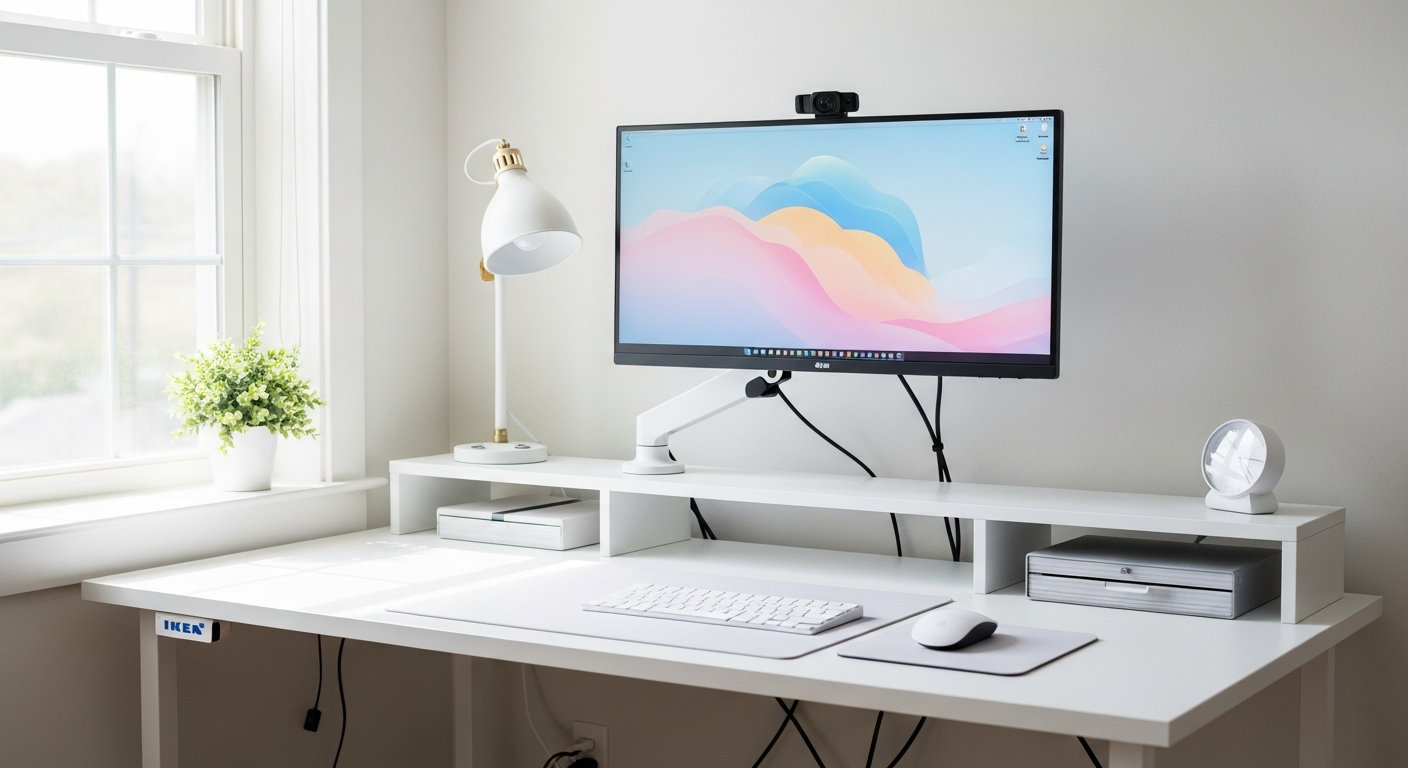
At $1,000, you can build a setup that performs like a professional office and looks better than most. The jump from $500 to $1,000 unlocks a 27-inch 1440p monitor, a proper mechanical keyboard, and the option to include a standing desk. Here are five complete builds that spend every dollar wisely.
We may earn a commission if you buy through our links.
Remote Worker Mid-Range ($980)
The all-day remote work build. Comfort and reliability are the priorities.
| Item | Price |
|---|---|
| Fully Jarvis Bamboo Standing Desk (48 in) | $349 |
| LG 27GP850-B 27-inch 1440p 165Hz IPS monitor | $279 |
| Keychron K2 Pro 75% wireless mechanical keyboard | $99 |
| Logitech MX Master 3S wireless mouse | $99 |
| BenQ ScreenBar monitor light | $63 |
| Anker USB-C docking station | $59 |
| Desk mat (large, 35 x 17 in) | $25 |
| Under-desk cable tray | $22 |
| Total | $995 |
The Fully Jarvis is the most reliable standing desk under $400. It has a three-stage lift column, a programmable handset, and a solid bamboo top that looks natural in any room. The LG 27GP850-B is one of the best all-around monitors in its price range: fast enough for gaming, color-accurate enough for design work, and large enough for productivity. The Keychron K2 Pro is the keyboard to buy when you want mechanical feel with wireless convenience. The whole setup sits in ergonomic range, with the monitor on an included stand and cables hidden in the tray below.
Gaming Mid-Range ($990)
Serious gaming performance at a mid-range price.
| Item | Price |
|---|---|
| IKEA UPPSPEL gaming desk (63 in) | $299 |
| Samsung Odyssey G7 27-inch 1440p 240Hz curved IPS | $349 |
| Logitech G915 TKL wireless mechanical keyboard | $229 |
| Logitech G Pro X Superlight 2 gaming mouse | $159 |
| Govee LED strip (2m) | $19 |
| Glorious XL desk mat | $22 |
| Headset hook (clamp-on) | $15 |
| Total | $1,092 |
This build runs slightly over $1,000. To keep it under: swap the G Pro X Superlight 2 for the G Pro Wireless at $99, saving $60 and landing at $1,032. The Samsung Odyssey G7 is the centerpiece: 240Hz refresh rate and 1440p resolution in a curved IPS panel. It covers a wide color gamut, which makes it a good fit if you do any content creation alongside gaming. The IKEA UPPSPEL is a purpose-built gaming desk with a mouse bungee and headset hook built in.
Developer Minimal ($875)
A clean, distraction-free setup optimized for writing code.
| Item | Price |
|---|---|
| IKEA LAGKAPTEN 63-inch top + ALEX drawer unit + ADILS legs | $198 |
| Dell U2723DE 27-inch 1440p USB-C hub IPS monitor | $429 |
| Keychron Q1 Pro wireless QMK mechanical keyboard | $199 |
| Logitech MX Anywhere 3 mouse | $79 |
| BenQ ScreenBar | $63 |
| Desk mat (dark, 35 x 17 in) | $25 |
| Total | $993 |
The Dell U2723DE is worth its price for developers. It has a built-in USB-C hub that charges a laptop at up to 90W while connecting peripherals through a single cable. One cable to the laptop. That simplicity reduces desktop clutter more than any cable management product. The Keychron Q1 Pro is the keyboard most recommended in developer communities: QMK-compatible, wireless, and gasket-mounted for a softer, quieter typing experience. The IKEA LAGKAPTEN on ALEX with one ADILS leg gives a clean desk with six drawers of storage.
Home Office Standing Desk Build ($970)
Built around the standing desk as the centerpiece.
| Item | Price |
|---|---|
| FlexiSpot E7 standing desk (60 x 24 in, white) | $549 |
| LG 27MK600M 27-inch 1080p IPS monitor | $179 |
| Keychron K3 Pro compact wireless keyboard | $99 |
| Logitech M750 mouse | $49 |
| Topo anti-fatigue mat (Ergodriven) | $69 |
| Under-desk cable management raceway | $19 |
| Total | $964 |
This build spends the most on the desk itself. The FlexiSpot E7 has one of the sturdiest frames in its price range: dual motor, 355-lb capacity, and a programmable four-memory handset. The white frame with a white desktop looks clean in any room. The monitor here is intentionally modest: the LG 27MK600M is a solid 27-inch IPS panel at a low price. Once you’re comfortable with the standing desk habit, upgrade the monitor. The Topo mat from Ergodriven is the most ergonomically sound standing mat available. It encourages movement while you stand instead of locking your feet in one position.
Creative Mid-Range ($995)
For designers, illustrators, and photographers who need color accuracy.
| Item | Price |
|---|---|
| IKEA LAGKAPTEN 63-inch top + ALEX drawer unit + ADILS legs | $198 |
| BenQ PD2506Q 25-inch 1440p factory-calibrated IPS | $349 |
| Wacom Intuos Medium drawing tablet | $199 |
| Keychron K2 Pro keyboard | $99 |
| Logitech MX Master 3S mouse | $99 |
| Elgato Key Light Mini | $49 |
| Total | $993 |
The BenQ PD2506Q is factory-calibrated to Delta E less than 2 and covers 99% sRGB and 95% P3. It’s the best color-accurate monitor under $400. The Wacom Intuos Medium is the tablet most illustrators start with. It has pressure sensitivity, tilt recognition, and works with every major creative application. The large LAGKAPTEN surface fits both the tablet and keyboard side by side without crowding. The Elgato Key Light Mini adds clean video call lighting without taking too much desk space.
Bottom Line
At $1,000, every build here makes a meaningful difference over a $500 setup. The standing desk build is the best long-term investment for your health. The developer build is the cleanest. The creative build is the most specialized. Pick based on how you actually spend your time at the desk.
Frequently Asked Questions
- What should a $1,000 desk setup include?
- At $1,000, you can include a quality desk (standing or fixed), a 27-inch 1440p monitor, a mechanical keyboard, a comfortable chair, and proper lighting. You can't include all premium options, so prioritize the monitor and chair since those affect daily comfort the most.
- Is a standing desk worth it in a $1,000 budget?
- Yes, if you prioritize it. The FlexiSpot E7 at $549 takes half the budget, leaving $450 for everything else. That's tight but doable: an IKEA desk surface, a budget mechanical keyboard, a used or refurbished monitor, and a basic chair. Alternatively, skip the standing desk and spend more on a better monitor and chair.
- What mechanical keyboard should I buy for a $1,000 desk setup?
- The Keychron K2 Pro at $99 is the ideal mid-range keyboard. It's wireless, hot-swap, has a 75% layout with arrow keys, and looks good on any desk. If you prefer a full-size layout, the Logitech MX Keys S at $119 is the productivity choice.