Best Laptop Stands for Your Desk in 2026: Tested and Ranked
The best laptop stands for desk use in 2026. Top picks for MacBook, Windows laptops, and portable setups. Updated April 2026.
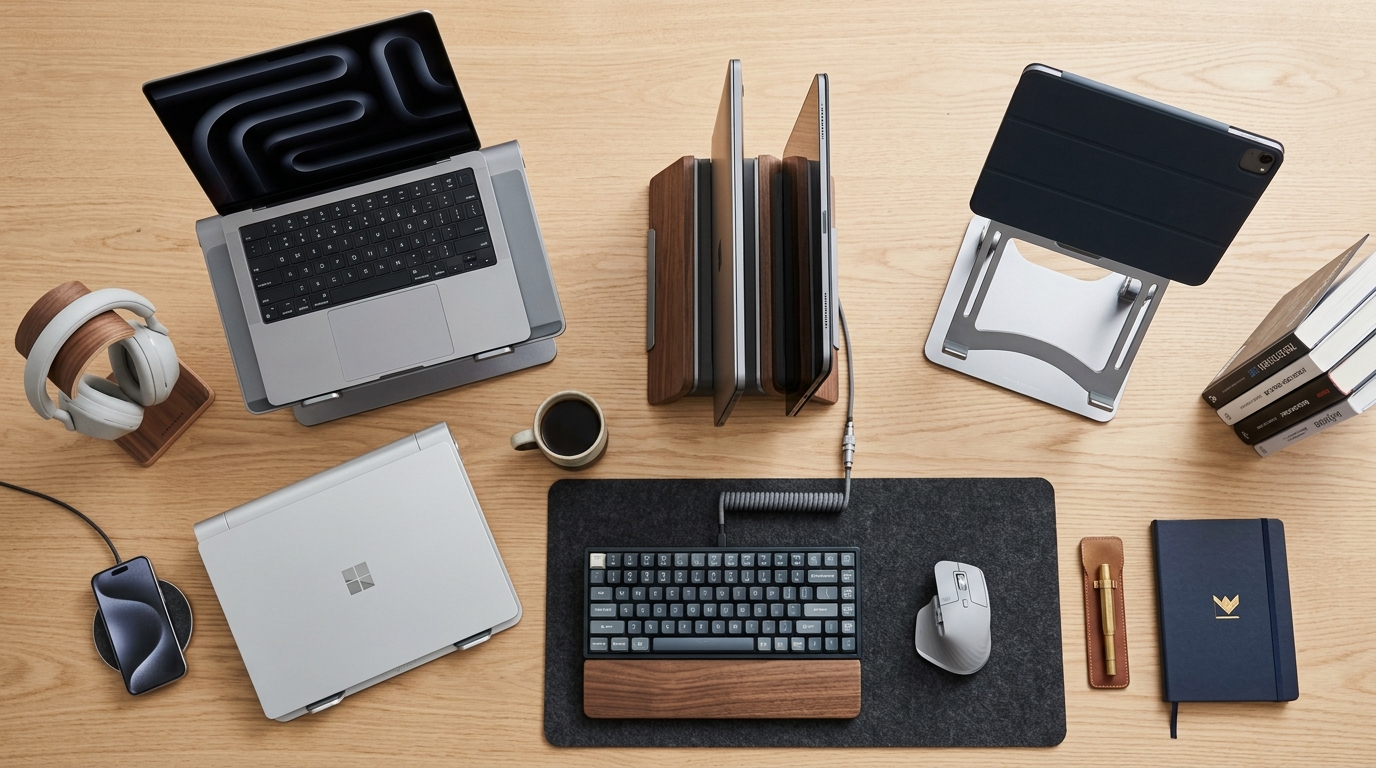
A good laptop stand fixes neck and back strain in minutes. The top picks for 2026: Twelve South Curve Flex for MacBook users, Rain Design mStand for a fixed desk, Nexstand K2 for portable use, Nulaxy for budget adjustable, and Lululook for a foldable option. Prices range from $29 to $79.
We may earn a commission if you buy through our links.
What to Look For
Height is the key spec. You need to raise the laptop screen to eye level. For most desk setups, that is 6 to 10 inches of elevation. Stands with fixed heights work if that height matches your desk and chair. Adjustable stands let you fine-tune.
Stability matters. A wobbly stand makes typing on the built-in keyboard feel uncertain and makes the laptop harder to use as a secondary display. Wider bases and heavier materials reduce wobble.
Heat dissipation is secondary but real. Aluminum stands conduct heat away from the laptop bottom better than plastic. For laptops that run hot, this helps. For laptops with side or rear vents, it matters less.
Consider portability. A desk stand can weigh 2 to 3 pounds and fold flat. A travel stand should weigh under 1 pound and fit in a laptop bag pocket.
Best Overall: Twelve South Curve Flex
The Twelve South Curve Flex costs $79. It is an aluminum vertical stand that holds a MacBook or Windows laptop upright beside the monitor. In vertical mode, the laptop acts as a secondary display or simply stays powered while the external monitor is the main screen.
The Curve Flex folds flat in seconds. It grips the laptop at the bottom edge and the side, so it fits most laptop thicknesses. The aluminum finish matches Apple hardware closely. On a desk with a Mac, it looks like it belongs.
The height is fixed at the monitor arm or stand level. This stand is for closed-lid use. If you want the laptop screen visible, use a tilted stand instead.
Best Fixed Stand: Rain Design mStand
The Rain Design mStand costs $49. It is a single-piece aluminum riser that raises a laptop 6 inches at a fixed 17-degree tilt. The angle brings the screen close to eye level for most seated users at a standard desk.
The mStand weighs 2.3 pounds. It will not move during use. A cable routing channel runs through the rear post and keeps the power cable from cluttering the desk surface. The mStand fits laptops up to 17 inches.
This is the stand to buy if your desk setup does not change positions. It is reliable, durable, and available in multiple finishes.
Best Portable: Nexstand K2
The Nexstand K2 costs $35. It is a foldable polycarbonate stand that weighs 8.5 ounces. It collapses to a flat package the size of a ruler and fits inside most laptop bags.
The K2 adjusts to seven height positions between 3.5 and 12.5 inches. The polycarbonate legs snap into position and hold firmly. It fits laptops from 10 to 17 inches.
The trade-off is material. Polycarbonate does not dissipate heat like aluminum. For a hot-running laptop, the Rain Design mStand is better for a fixed desk setup. For travel, the K2 is the best option available.
Best Budget Adjustable: Nulaxy Laptop Stand
The Nulaxy adjustable laptop stand costs $29. It has six adjustable height positions from 3.6 to 9.1 inches. The folding design collapses flat for storage or travel.
The stand uses aluminum alloy arms and silicone pads. It fits laptops from 10 to 18 inches. At the price, it competes with stands costing twice as much. The adjustment mechanism uses a simple fold and lock system. No tools required.
The base is not as heavy as the mStand, so it slides slightly on glass desks. A non-slip mat under the base fixes that. For a desk with a fabric or wood surface, this is not an issue.
Best for MacBook: Lululook Foldable Stand
The Lululook foldable MacBook stand costs $45. It is designed specifically for MacBook Air and MacBook Pro models. The vertical foldable aluminum design holds the MacBook upright in closed-lid mode.
The stand has adjustable clamp arms that fit MacBook thicknesses from 14mm to 23mm. It covers every MacBook made in the last six years. The finish matches Apple’s aluminum closely.
The Lululook folds to roughly the width of two credit cards stacked. It is lighter than the Twelve South Curve Flex and about half the price. If you switch between desk and travel frequently, the Lululook handles both.
Bottom Line
For a fixed MacBook desk setup, the Rain Design mStand at $49 is the most straightforward pick. For a MacBook used both at a desk and traveling, the Lululook at $45 wins. For Windows laptops or any laptop used heavily on the road, the Nexstand K2 at $35 is the practical choice. The Twelve South Curve Flex at $79 is the premium pick for closed-lid dual-monitor setups.
Buy a separate Bluetooth keyboard with any of these stands. The built-in keyboard at eye level is not usable for daily typing.
Frequently Asked Questions
- What height should a laptop stand be?
- The top of your laptop screen should be at eye level. For most people sitting at a standard desk, that means raising the laptop 6 to 10 inches. A stand with adjustable height lets you dial this in precisely.
- Do I need a separate keyboard with a laptop stand?
- Yes. Once your laptop is raised to eye level, the built-in keyboard is too high for comfortable typing. Use a separate Bluetooth or USB keyboard on the desk surface.
- Are aluminum laptop stands better than plastic?
- Aluminum stands are more stable and dissipate heat better. They also tend to last longer. For a desk that doesn't move, aluminum is worth the extra cost. For travel, a lightweight folding plastic stand is more practical.
- Can a laptop stand work with any laptop size?
- Most stands accommodate laptops from 11 to 17 inches. Check the width of the support arms before buying. Some stands grip the bottom edge and need the right spacing for your laptop's thickness.